
I'm not receiving emails on my website?
You may have not created all the DNS records needed to properly host your website on our cPanel website services. Usually, whenever someone sends you an email to your domain, it looks for an MX record and sends the email to wherever that MX record points.
What is a DNS MX record?
A DNS 'mail exchange' (MX) record directs email to a mail server. The MX record indicates how email messages should be routed in accordance with the Simple Mail Transfer Protocol (SMTP, the standard protocol for all emails). Like CNAME records, an MX record must always point to another domain.
What do I need to do?
In this guide, we are going to show you how to add an MX record to your DNS via Cloudflare.
Your domain must be linked to Cloudflare and pointing to us via DNS records. If your website is not linked with Cloudflare, you can follow our guide here.
Step 1
Sign in to the Billing Area.
Step 2
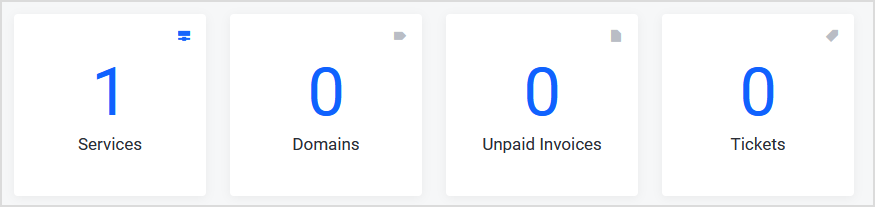
Select the Services box.
Step 3
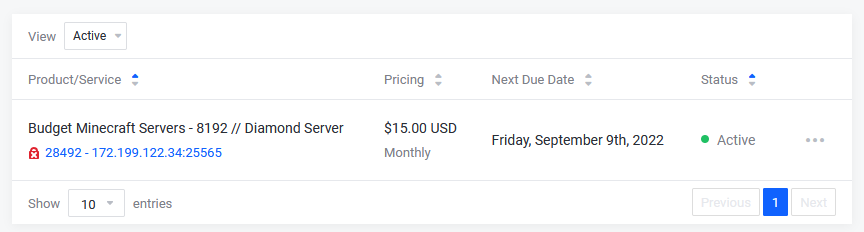
Change the view to Active.

Step 4
Select the Product that you would like to cancel.
Step 5
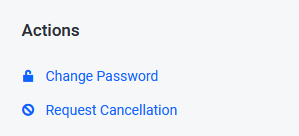
On the left-hand side under Actions, select Request Cancellation.
Step 6
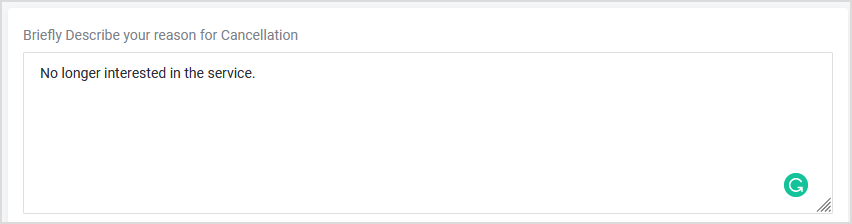
Fill in the box "Briefly Describe your reason for Cancellation" with the purpose of your cancellation.
Step 7
Select the Cancellation type.

"Immediate" Cancellation
The Immediate option terminates the product/service on the same day around (8:00 PM EST/12:00 AM GMT), regardless of the service's Next Due Date.
"End of Billing Period" Cancellation
The End of Billing Period option terminates the product/service on the service's Next Due Date.
Step 8
Select Submit to submit the request.
Submitting a Cancellation Request does not automatically give you a refund. If you are within the 72-hour refund period and want a refund on an eligible product, please open a ticket in our billing area.
