# How do I re-install my Operating System for my VPS?

##### Step 1

Sign in to the VPS panel.

VPS Panel: [https://vps.aquatis.host:4083/](https://vps.aquatis.host:4083/)

[![image.png](https://knowledgebase.aquatis.host/uploads/images/gallery/2022-09/scaled-1680-/ZLT0LhA6gXVvw4g0-image.png)](https://knowledgebase.aquatis.host/uploads/images/gallery/2022-09/ZLT0LhA6gXVvw4g0-image.png)

##### Step 2  


Select the **VPS** you wish to control.

[![image.png](https://knowledgebase.aquatis.host/uploads/images/gallery/2022-09/scaled-1680-/84bDKey279b9vj5u-image.png)](https://knowledgebase.aquatis.host/uploads/images/gallery/2022-09/84bDKey279b9vj5u-image.png)

##### Step 3

On the navigation bar, select the **Install** button to view the Operating Systems available to re-install.

[![image.png](https://knowledgebase.aquatis.host/uploads/images/gallery/2022-09/scaled-1680-/AoUe93xQewqSi8oj-image.png)](https://knowledgebase.aquatis.host/uploads/images/gallery/2022-09/AoUe93xQewqSi8oj-image.png)

##### Step 4  


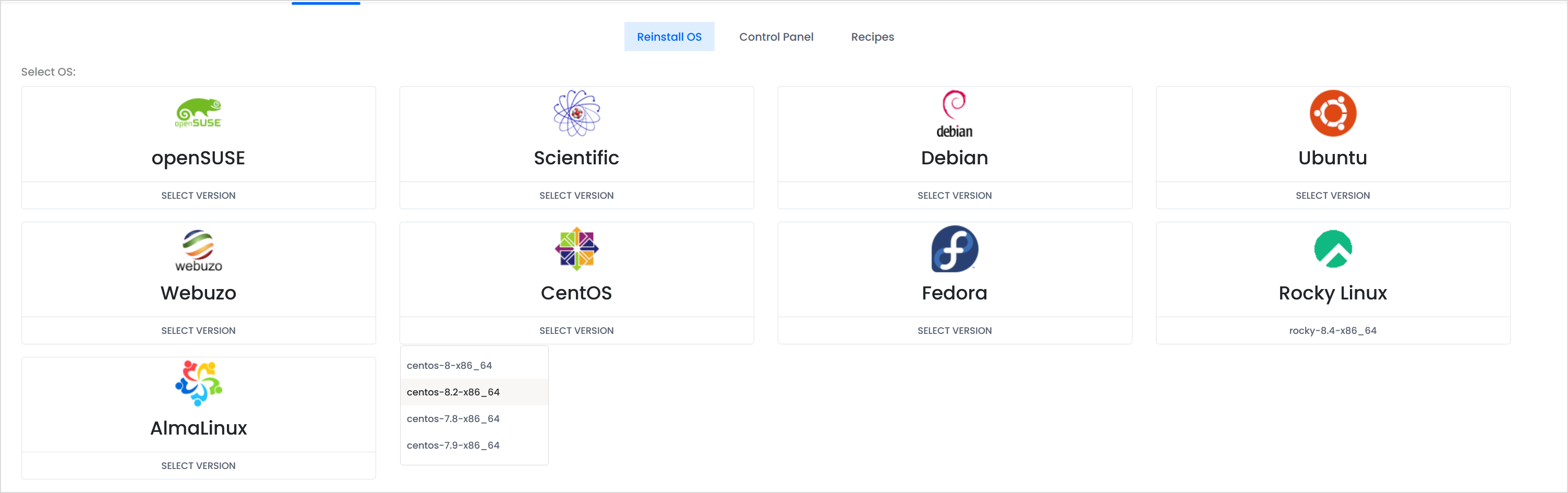
Select the **Operating System** that you wish to re-install.

<p class="callout info">If you want to delete all the files of your VPS and start with a clean slate, you can select the **<span style="text-decoration: underline;">same</span>** operating system currently installed on your VPS.</p>

[![image.png](https://knowledgebase.aquatis.host/uploads/images/gallery/2022-09/scaled-1680-/n8glUkNYOyxzHQWQ-image.png)](https://knowledgebase.aquatis.host/uploads/images/gallery/2022-09/n8glUkNYOyxzHQWQ-image.png)

##### Step 5  


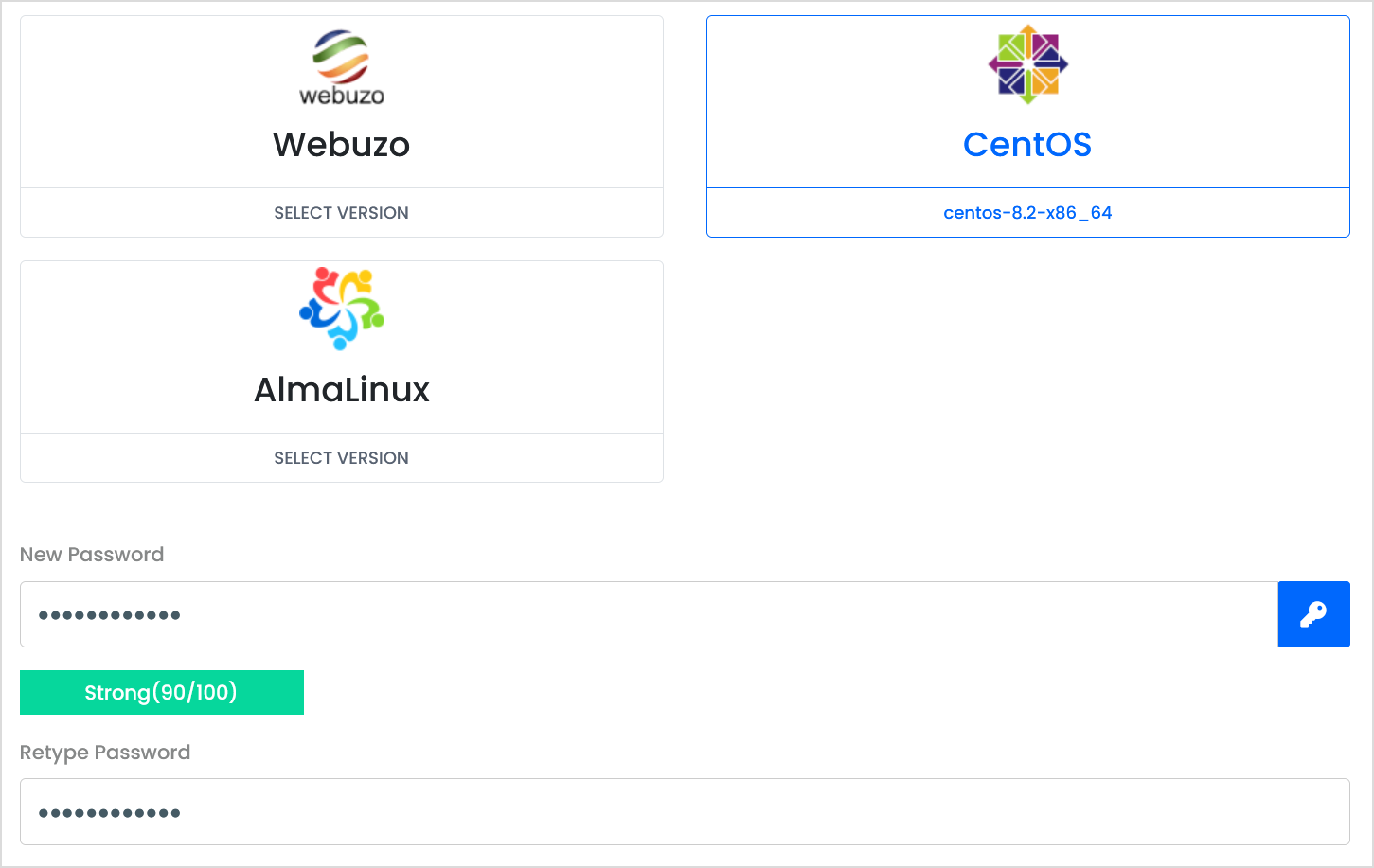
Type in a **new** password below and retype it as well to confirm it.

[![image.png](https://knowledgebase.aquatis.host/uploads/images/gallery/2022-09/scaled-1680-/Gj8HsAQmv2P6xVqo-image.png)](https://knowledgebase.aquatis.host/uploads/images/gallery/2022-09/Gj8HsAQmv2P6xVqo-image.png)
##### Step 6  


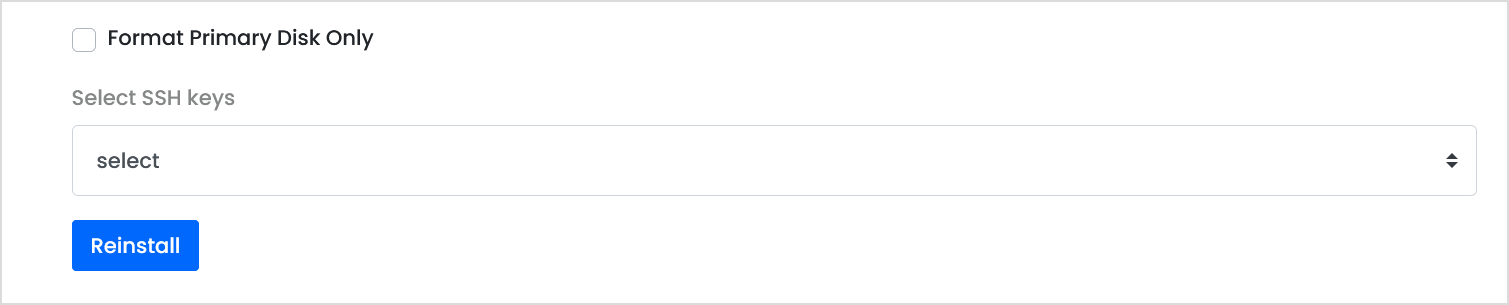
**Ignore** the Format Primary Disk Only option, If you wish to select SSH keys for the VPS you can re-add them. **Select** Re-install to initiate the VPS re-install.

[![image.png](https://knowledgebase.aquatis.host/uploads/images/gallery/2022-09/scaled-1680-/easckbeCUxSPF6dZ-image.png)](https://knowledgebase.aquatis.host/uploads/images/gallery/2022-09/easckbeCUxSPF6dZ-image.png)
##### Step 7  


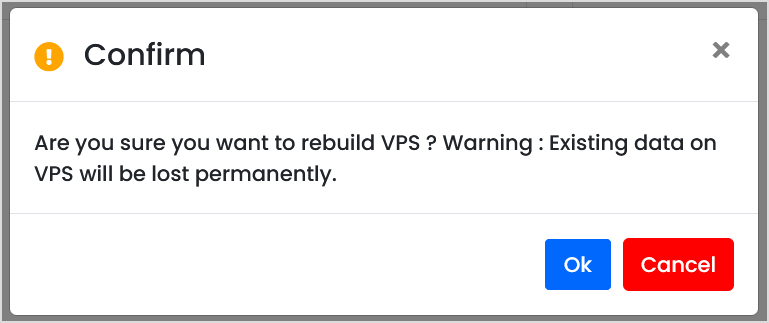
**Confirm** that you wish to re-install the VPS operating system.

<p class="callout danger">Once you select ok, the data is **lost permanently**. Please ensure you keep a backup of your VPS contents.</p>

[![image.png](https://knowledgebase.aquatis.host/uploads/images/gallery/2022-09/scaled-1680-/xN1pHNwQS9mKPfZI-image.png)](https://knowledgebase.aquatis.host/uploads/images/gallery/2022-09/xN1pHNwQS9mKPfZI-image.png)

##### Step 8  


**Wait** as the VPS re-installs the operating system. Once complete, the server will boot back online.