# How do I change my email address on Pterodactyl?
##### Step 1
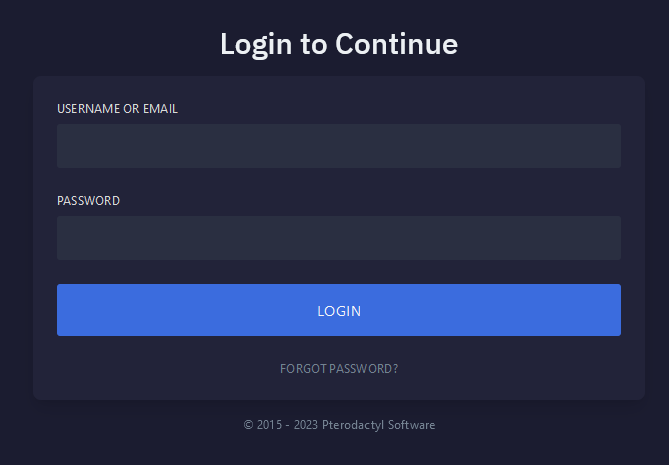
Navigate to [Pterodactyl](https://pterodactyl.aquatis.host/auth/login) panel's login screen and **Login**.
[](https://knowledgebase.aquatis.host/uploads/images/gallery/2023-04/MzpdMYdb3oZ49AmW-image.png)
##### Step 2
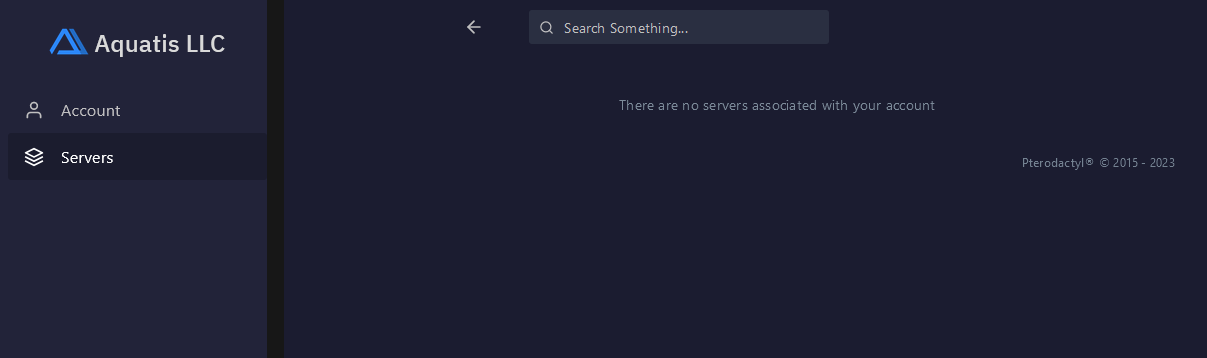
Navigate to **the Account** section on the left side navigation.
[](https://knowledgebase.aquatis.host/uploads/images/gallery/2023-04/cT6blD0hpFOE7eJX-image.png)
##### Step 3
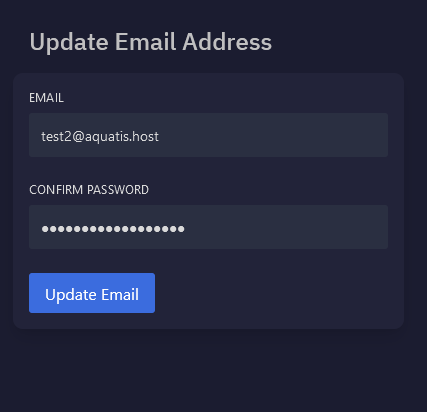
Navigate to the Update Email Address section on the middle of your screen. Enter your new desired email, type in your current password and select the **Update Email** button.
[](https://knowledgebase.aquatis.host/uploads/images/gallery/2023-04/BUdwQZVTFPqUTjbh-image.png)
The system will apply the changes and stay on the screen. You will see a visual confirmation.